Category: Technology

Security Enhancements: Data Encryption, User Authentication, Remote Monitoring

In an era of increasing digital threats, organizations must prioritize robust security measures to protect their valuable assets. Data encryption, user authentication, and remote monitoring form the cornerstone of modern security enhancements. These interconnected strategies work in tandem to create a formidable defense against unauthorized access and potential breaches. As cyber attackers become more sophisticated, it's essential to understand how these security measures can be effectively implemented and integrated into existing systems. The following exploration will shed light on the intricacies of these technologies and their pivotal role in safeguarding sensitive information.

Understanding Data Encryption

mastering secure data protection

Why is data encryption essential in today's digital environment? In an interconnected world where sensitive information is constantly exchanged online, encryption serves as a significant shield against unauthorized access and data breaches. It transforms readable data into a scrambled format, ensuring that only authorized parties with the correct decryption key can interpret the information.

Data encryption protects our collective digital assets, fostering a sense of security and trust within our online communities. It safeguards personal information, financial transactions, and confidential business communications, allowing us to engage confidently in the digital domain.

By implementing robust encryption protocols, we create a safer environment for all users, strengthening the bonds of our digital society.

Understanding encryption empowers us to make informed decisions about our online security. It involves recognizing different encryption methods, such as symmetric and asymmetric encryption, and their applications in various contexts.

As members of the digital community, familiarizing ourselves with encryption concepts enables us to better protect our shared interests and contribute to a more secure online ecosystem for everyone.

User Authentication Methods

While encryption protects data in transit and at rest, robust user authentication methods form the first line of defense in securing digital assets. These methods guarantee that only authorized individuals gain access to sensitive information and systems. Multi-factor authentication (MFA) has become a standard practice, combining something the user knows (password), something they have (security token), and something they are (biometric data).

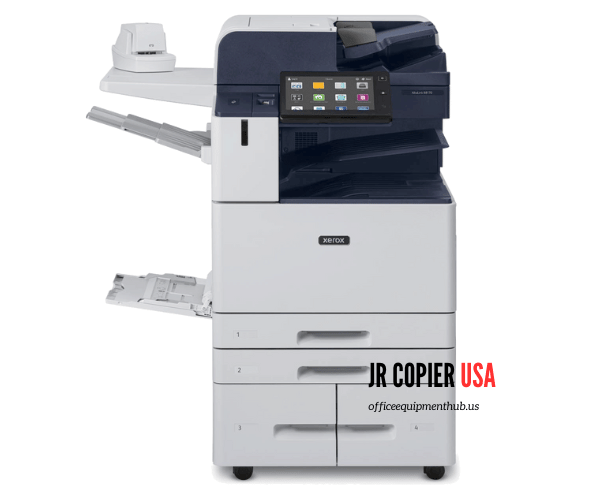
Modern office equipment like the Ricoh IM C3510 and Xerox PrimeLink C9065/C9070, come with advanced user authentication features that further enhance the security of sensitive data. This aligns with the growing need for robust security measures in today's digital work environments.

Passwords remain a common authentication method, but their effectiveness relies on complexity and regular updates. Passphrases, longer strings of words, offer increased security and memorability.

Biometric authentication, such as fingerprint scans, facial recognition, and retinal scans, provides a unique and convenient way to verify identity. Hardware tokens, like USB keys or smart cards, add an extra layer of security by requiring physical possession.

Single Sign-On (SSO) systems streamline the authentication process across multiple applications, enhancing user experience while maintaining security. Risk-based authentication adapts security measures based on contextual factors, such as location and device type.

As part of our community's commitment to security, implementing a combination of these methods guarantees a robust defense against unauthorized access, protecting our shared digital resources and fostering a secure environment for all members.

Remote Monitoring Systems

telehealth remote patient monitoring

Building upon robust user authentication methods, remote monitoring systems provide continuous oversight of network activities and device status. These systems enable security teams to maintain vigilance over distributed infrastructure, detecting anomalies and potential threats in real-time. By leveraging advanced analytics and machine learning algorithms, remote monitoring tools can identify patterns indicative of security breaches or system failures.

Feature Benefit
Real-time alerts Rapid response to incidents
Performance metrics Proactive system optimization
Log analysis Forensic investigation support
Automated reporting Simplified compliance management
Remote access Efficient troubleshooting

As part of a thorough security strategy, remote monitoring systems foster a sense of control and connectivity among team members. They empower IT professionals to collaborate effectively, sharing insights and responding to issues collectively. This shared responsibility enhances the organization's overall security posture and cultivates a culture of vigilance.

Remote monitoring also facilitates seamless integration with other security measures, creating a cohesive defense ecosystem. By providing a centralized view of the entire network landscape, these systems enable organizations to adapt swiftly to evolving threats and maintain a robust security stance in an increasingly complex digital environment.

Implementing Security Enhancements

Numerous organizations face the challenge of implementing security enhancements effectively. To address this, companies must adopt a systematic approach that aligns with their specific needs and risk profiles. The process begins with a thorough security assessment, identifying vulnerabilities and prioritizing areas for improvement.

A vital step is developing a robust implementation plan that outlines clear objectives, timelines, and resource allocation. This plan should involve key stakeholders from various departments to guarantee buy-in and smooth integration across the organization.

Training programs for employees are essential to foster a security-conscious culture and guarantee proper utilization of new security measures.

Phased implementation allows for gradual adoption and minimizes disruption to daily operations. Regular testing and evaluation of security enhancements help identify any gaps or weaknesses, enabling continuous improvement.

It's important to establish metrics to measure the effectiveness of implemented measures and adjust strategies accordingly.

Frequently Asked Questions

How Often Should Security Protocols Be Updated?

Security protocols should be updated regularly to maintain ideal protection. A best practice is to review and update them quarterly, or more frequently if new threats emerge. This proactive approach helps safeguard your systems and data effectively.

What Are the Legal Implications of Implementing Enhanced Security Measures?

Implementing enhanced security measures can have significant legal implications. Businesses must guarantee compliance with data protection laws, privacy regulations, and industry standards. Failure to do so may result in legal liabilities, fines, and reputational damage. Consult legal experts for guidance.

How Do Security Enhancements Impact System Performance and User Experience?

Security enhancements can affect system performance and user experience. While they may slightly slow down processes, they ultimately provide peace of mind. Users might need to adapt to new authentication methods, but these changes guarantee a safer, more secure environment for everyone.

What Are the Costs Associated With Implementing Advanced Security Features?

Implementing advanced security features can involve significant costs. These include software licensing, hardware upgrades, staff training, and ongoing maintenance. However, these investments are essential for protecting valuable data and maintaining customer trust in today's digital landscape.

How Can Employees Be Trained to Effectively Use New Security Measures?

Employee training on new security measures can be achieved through thorough workshops, hands-on exercises, and ongoing support. Regular refresher courses, clear documentation, and a dedicated helpdesk guarantee team members feel confident and empowered to utilize these tools effectively.

Conclusion

To summarize, the integration of data encryption, user authentication, and remote monitoring systems forms a robust security framework. These enhancements work synergistically to protect sensitive information, prevent unauthorized access, and detect potential threats in real-time. As cyber risks continue to evolve, implementing these security measures becomes increasingly critical. Organizations that prioritize these enhancements can greatly improve their overall security posture, safeguarding valuable data and maintaining trust in an increasingly digital landscape.

MFD Printer in Houston, TX

Best Way to Get Your New MFD Printer in Houston, TX: A Comprehensive Guide

When it comes to outfitting your office with a new Multi-Function Device (MFD) printer in Houston, TX, navigating the leasing options, service providers, and features can be a daunting task. Whether you’re a small business, corporate office, school, or hospital, finding the right printer lease that meets your specific needs is crucial for your daily operations. Here’s a comprehensive guide to help you make an informed decision.

MFD Printers

MFD Printers

Leasing Options: Tailored for Your Business Needs

Terms, Monthly Rates, and Lease Periods

Leasing a new MFD printer offers flexibility, especially for businesses that want to conserve capital or keep up with the latest technology. Lease terms typically range from 36 to 60 months, with monthly rates varying based on the model and features of the printer. Standard lease periods might offer lower rates for longer commitments, but it’s essential to evaluate your long-term needs before locking into a contract.

Early Termination Fees

It’s also crucial to consider early termination fees. Most lease agreements come with penalties if you decide to end the contract before the lease period is over. Understanding these terms upfront can save you from unexpected costs if your business needs change.

Service Providers: Who Should You Trust?

Local Dealers vs. National Companies vs. Authorized Resellers

Choosing the right service provider is just as important as selecting the right printer. Local dealers often provide more personalized service and quicker response times, especially important in a city as large as Houston. On the other hand, national companies may offer more comprehensive packages and better pricing due to their larger scale. Authorized resellers can be a middle ground, offering a mix of both personalized service and competitive pricing.

Printer Features: What to Look For

Multi-functionality, Print Speed, and Paper Capacity

When leasing an MFD printer, you’re not just getting a machine that prints. MFDs typically include scanning, copying, and faxing capabilities, making them a central hub for your office’s document needs. Consider the print speed, which can range from 20 to over 100 pages per minute, depending on your volume requirements. Additionally, assess whether you need color or black-and-white printing, as color printers tend to be more expensive. Paper capacity is another critical feature, especially for businesses that handle large print jobs frequently.

Customer Support: Ensuring Smooth Operations

Maintenance Services and Technical Support

A reliable customer support system is vital when leasing an MFD printer. Many leasing agreements include maintenance services, ensuring that your printer remains in optimal condition throughout the lease period. Technical support is equally important—ensure that your provider offers prompt response times, especially during critical business hours. In Houston’s fast-paced business environment, you can’t afford downtime due to printer malfunctions.

Target Markets: Tailored Solutions for Every Industry

Small Businesses, Corporate Offices, Schools, and Hospitals

Different industries have different printing needs. Small businesses might prioritize cost-effective solutions with basic features, while corporate offices may require high-speed printers with extensive multifunctionality. Schools and hospitals, which often deal with high volumes of printing, might need robust machines with large paper capacities and superior durability. By understanding the specific needs of your industry, you can choose a leasing option that aligns perfectly with your requirements.

Location: Houston and Surrounding Areas

Houston is a sprawling city, and the needs of businesses can vary widely depending on their location. Whether you’re based in the bustling downtown area or in the surrounding suburbs, it’s important to choose a service provider that can cater to your specific location, offering prompt support and delivery services.

Contract Types: Which One Is Right for You?

Full-Service Lease, Equipment Only Lease, and Managed Print Services

There are several types of contracts available for leasing MFD printers:

  • Full-Service Lease: This is the most comprehensive option, covering both the equipment and all necessary maintenance and support services. This type of lease is ideal for businesses that prefer a hands-off approach, allowing the service provider to handle everything.
  • Equipment Only Lease: This option involves leasing just the printer itself, with maintenance and support services contracted separately. This can be a cost-effective option for businesses with in-house IT support or those who prefer to manage their own maintenance.
  • Managed Print Services: This contract type goes beyond just leasing the equipment. Managed Print Services (MPS) involve a complete assessment of your printing needs, followed by ongoing management of your printing environment to optimize efficiency and reduce costs.

Office Equipment Supplier In Houston TX

Leasing an MFD printer in Houston, TX, is a significant decision that can impact your business operations for years to come. By carefully considering leasing options, choosing the right service provider, and selecting features that meet your needs, you can ensure that your investment delivers the best possible value. Whether you’re a small business, corporate office, school, or hospital, the right MFD printer lease will keep your business running smoothly and efficiently.

Factors to Consider When Selecting an MFD Printer

Factors to Consider When Selecting an MFD Printer

MFD Printers

MFD Printers

Selecting the right MFD printer is crucial for optimizing your business operations and ensuring a good return on investment. Here are the key factors to consider:

1. Print Volume

Assessing your daily, weekly, and monthly print volumes helps determine the printer’s capacity needs. High-volume environments require robust printers capable of handling large workloads without frequent maintenance.

2. Print Speed

Print speed, measured in pages per minute (PPM), directly impacts productivity. Faster print speeds are essential for businesses with high print demands, ensuring tasks are completed efficiently.

3. Print Quality

The quality of print output is vital for documents intended for clients or presentations. Evaluate the printer’s resolution and color accuracy, especially if your business relies on high-quality graphics or detailed images.

4. Connectivity Options

Modern MFD printers offer various connectivity options, including wireless, Ethernet, and mobile printing. These features provide flexibility and convenience, allowing seamless printing from multiple devices and locations.

5. Cost of Consumables

Consider the long-term costs associated with ink or toner cartridges, paper, and other consumables. Some printers have higher upfront costs but lower ongoing expenses, while others might be cheaper initially but more expensive to maintain.

6. Additional Features

Look for features that enhance functionality and efficiency, such as duplex printing (automatic double-sided printing), scanning capabilities, document storage, and security options. These features can streamline workflows and improve productivity.

7. User Interface and Ease of Use

An intuitive user interface can reduce the learning curve and minimize errors. Touchscreens, easy-to-navigate menus, and user-friendly software contribute to a better user experience.

8. Size and Design

The physical footprint of the MFD printer should fit your office space without causing congestion. Consider the printer’s design and how it complements your workspace aesthetics.

9. Reliability and Maintenance

Choose a reliable brand with a good track record of performance and minimal downtime. Regular maintenance and support services from the manufacturer or vendor can prevent disruptions and extend the printer’s lifespan.

10. Environmental Impact

Eco-friendly features such as energy-saving modes, recyclable cartridges, and reduced paper waste can contribute to your company’s sustainability goals and reduce operational costs.


If you have any questions or need further assistance in selecting the right MFD printer for your business, please contact JR Copier. We’re here to help you make an informed decision.

Photocopier and Printer Leasing in Texas

Photocopier and Printer Leasing in Texas

Introduction

Photocopier and printer leasing is a strategic choice for businesses in Texas seeking to enhance operational efficiency while managing costs. This option provides access to state-of-the-art equipment without the hefty upfront investment, ensuring businesses stay competitive in a fast-paced market.

copier lease

Advantages of Leasing

Cost Management

Leasing photocopiers and printers helps businesses manage their budgets effectively. By spreading the cost over a series of manageable payments, companies can allocate funds to other critical areas of their operations.

Latest Technology

Leasing ensures that businesses have access to the latest technology. Up-to-date equipment improves productivity through advanced features such as faster printing speeds, better quality output, and enhanced security measures.

Maintenance and Support

Most leasing agreements include comprehensive maintenance and support. This minimizes downtime and ensures that the equipment remains in optimal condition, allowing businesses to focus on their core activities without worrying about technical issues.

Key Considerations

Volume and Usage

Assessing the volume of printing and copying is crucial. Businesses with high-volume needs should opt for robust, high-capacity machines, whereas smaller businesses might prefer more compact models that still offer multifunction capabilities.

Lease Terms

Understand the lease terms, including the duration, monthly payments, and end-of-lease options. Some agreements allow businesses to purchase the equipment at the end of the lease term or upgrade to newer models.

Service Agreements

Ensure the leasing provider offers comprehensive service agreements. This includes regular maintenance, prompt repair services, and easy access to replacement parts, which are essential for minimizing operational disruptions.

Top Leasing Providers in Texas

JR Copier

JR Copier is a leading provider in Texas, offering a wide range of leasing options for photocopiers and printers. They are known for their flexible terms, excellent customer service, and reliable equipment. JR Copier provides tailored solutions to meet the specific needs of businesses, ensuring high efficiency and minimal downtime.

Ricoh

Ricoh offers a variety of leasing options tailored to different business needs. Their photocopiers and printers are known for reliability, advanced security features, and high-quality output.

Xerox

Xerox provides flexible leasing plans with features like mobile printing, cloud connectivity, and automated workflows. Their equipment is designed to meet the needs of various business environments, from small offices to large corporations.

Canon

Canon’s leasing solutions include extensive service packages and the latest technological advancements. Their devices are user-friendly and offer high-speed printing and energy efficiency, making them a popular choice among businesses.

Konica Minolta

Konica Minolta offers competitive leasing options for their high-performance devices. Their machines are designed for efficiency, featuring automated document handling, superior color printing, and integrated software solutions.

Regional Benefits in Texas

Major Cities

Cities like Houston, Dallas, Austin, and San Antonio are hubs for business activity in Texas. Leasing providers in these cities offer quick response times and tailored solutions to meet the diverse needs of local businesses.

Diverse Industries

Texas is home to various industries, including oil and gas, technology, healthcare, and education. Leasing providers offer specialized solutions to cater to the unique demands of these sectors, ensuring that businesses have the right equipment to support their operations.

Local Support

Leasing from local providers in Texas ensures better service and support. Businesses can benefit from quicker response times for maintenance and repairs, along with a more personalized approach to meeting their needs.

Texas Office Equipment Provider

Photocopier and printer leasing in Texas provides businesses with a cost-effective and efficient way to access the latest technology and maintain operational continuity. By choosing the right leasing provider and understanding the key considerations, businesses can enhance their productivity and streamline their workflows. Leading providers like JR Copier, Ricoh, Xerox, Canon, and Konica Minolta offer a range of options to suit various business needs, ensuring that companies across Texas can find the perfect solution to support their growth and success.

Printer Leasing: Weighing the Pros and Cons for Your Business

Multifunction Printer Leasing: Weighing the Pros and Cons for Your Business

In the modern business world, efficiency and cost-effectiveness are paramount. One crucial aspect of office operations is the use of multifunction printers (MFPs), also known as all-in-one printers or multifunction devices (MFDs). These versatile machines combine printing, scanning, copying, and faxing capabilities into a single unit, streamlining workflows and saving valuable office space. When it comes to acquiring an MFP, businesses often face the decision of whether to purchase or lease the equipment. In this article, we’ll explore the advantages and disadvantages of MFP leasing to help you make an informed choice for your organization.

xerox-copier-lease

MFD Printer Leasing: Advantages and Disadvantages

In today’s fast-paced business environment, having reliable and efficient office equipment is crucial for success. One essential piece of equipment is the multifunction device (MFD) printer, which combines printing, scanning, copying, and faxing capabilities into a single machine. For many businesses, leasing an MFD printer has become an increasingly popular alternative to purchasing one outright. In this article, we’ll explore the advantages and disadvantages of MFD printer leasing to help you make an informed decision for your organization.

Advantages of MFD Printer Leasing

1. Lower Upfront Costs

One of the most significant advantages of leasing an MFD printer is the lower upfront cost compared to purchasing the equipment outright. Leasing allows businesses to acquire the necessary technology without a substantial initial investment, freeing up capital for other essential expenses. This is particularly beneficial for small businesses or startups with limited financial resources.

2. Predictable Monthly Expenses

Leasing an MFD printer usually involves a fixed monthly payment for the duration of the lease term. This predictability in expenses makes budgeting and financial planning more manageable, as businesses can accurately forecast their office equipment costs. Predictable monthly expenses also help avoid unexpected repair or replacement costs that may arise with owned equipment.

3. Access to Latest Technology

MFD printer technology is continuously evolving, with new features and capabilities being introduced regularly. By leasing an MFD printer, businesses can easily upgrade to the latest models at the end of their lease term, ensuring they always have access to the most advanced features and functionalities. This is particularly important for companies that rely on cutting-edge technology to maintain a competitive edge.

4. Reduced Maintenance and Repair Costs

When leasing an MFD printer, the leasing company often includes maintenance and repair services as part of the lease agreement. This means that businesses can avoid the hassle and expense of dealing with equipment breakdowns or malfunctions. The leasing company takes responsibility for keeping the equipment in good working order, minimizing downtime and ensuring maximum productivity.

5. Flexibility and Scalability

As businesses grow and change, their office equipment needs may evolve as well. Leasing an MFD printer offers the flexibility to adapt to these changes without being tied to a long-term investment. Lease terms can be structured to meet the specific needs of a business, with options for short-term or long-term agreements. Additionally, leasing allows businesses to easily scale their equipment up or down as their requirements change, without the burden of owning obsolete or unnecessary equipment.

6. Potential Tax Benefits

In some cases, leasing an MFD printer may offer tax advantages for businesses. Lease payments are often treated as operating expenses, which can be deducted from taxable income. This can result in lower overall tax liabilities compared to purchasing equipment outright. However, it’s essential to consult with a tax professional to understand the specific tax implications for your business.

OFFICE EQUIPMENT SOLUTIONS

Disadvantages of MFD Printer Leasing

1. Higher Long-Term Costs

While leasing an MFD printer may offer lower upfront costs, it can result in higher long-term expenses compared to purchasing the equipment. Over the life of the lease, the total amount paid in lease payments may exceed the purchase price of the printer. This is particularly true for businesses that plan to use the same equipment for an extended period.

2. Limited Ownership and Equity

When leasing an MFD printer, the business does not own the equipment and, therefore, does not build equity in the asset. At the end of the lease term, the business must either return the equipment or negotiate a purchase or lease extension. This lack of ownership can be a disadvantage for businesses that prefer to have complete control over their assets and may want to sell or dispose of the equipment as they see fit.

3. Contractual Obligations and Restrictions

Lease agreements for MFD printers often come with contractual obligations and restrictions that may limit a business’s flexibility. For example, lease contracts may specify a minimum number of prints or copies that must be made each month, or they may restrict the types of materials that can be used with the equipment. Breaking a lease agreement early can also result in significant penalties and fees.

4. Dependence on Leasing Company

When leasing an MFD printer, businesses are dependent on the leasing company for maintenance, repairs, and support. While this can be an advantage in terms of reduced responsibilities, it also means that businesses are at the mercy of the leasing company’s responsiveness and quality of service. Poor service or slow response times can lead to prolonged downtime and decreased productivity.

5. Potential for Outdated Technology

While leasing an MFD printer allows businesses to upgrade to newer models at the end of the lease term, there is also the potential for being stuck with outdated technology during the lease period. As new features and capabilities are introduced, businesses may find that their leased equipment becomes less efficient or competitive compared to newer models on the market.

Factors to Consider When Deciding to Lease an MFD Printer

When deciding whether to lease an MFD printer, businesses should consider several key factors:

  • Financial resources and budget constraints
  • Expected usage and print volume
  • Importance of having the latest technology
  • Preferences for ownership and control over assets
  • Anticipated growth and changing office equipment needs
  • Tax implications and potential benefits

By carefully evaluating these factors and weighing the advantages and disadvantages of MFD printer leasing, businesses can make an informed decision that best aligns with their specific needs and goals.

MFD printer leasing

MFD printer leasing offers a range of advantages for businesses, including lower upfront costs, predictable monthly expenses, access to the latest technology, reduced maintenance and repair costs, flexibility, and potential tax benefits. However, it’s essential to also consider the disadvantages, such as higher long-term costs, limited ownership and equity, contractual obligations and restrictions, dependence on the leasing company, and the potential for outdated technology.

Ultimately, the decision to lease an MFD printer depends on a business’s unique circumstances and priorities. By carefully evaluating the factors involved and considering both the short-term and long-term implications, businesses can make a well-informed choice that supports their operational efficiency, financial stability, and overall success.


Revolutionize Your Office with Premier Copier and Laser Printer Services in Minnesota

Revolutionize Your Office with Premier Copier and Laser Printer Services in Minnesota

In the heart of Minnesota’s dynamic business landscape, having efficient and reliable office equipment is non-negotiable. That’s where our comprehensive services for copier and laser printer sales, leasing, and rentals come into play, offering unparalleled solutions tailored to your specific business needs.

A Wide Array of Brands to Choose From

Our inventory boasts a diverse range of copiers and laser printers from industry-leading brands such as Kyocera CS, Ricoh, Brother, HP, Xerox, Konica Minolta, Sharp, and Toshiba. We understand that quality matters, which is why we offer both new and expertly refurbished machines, ensuring top-notch performance and reliability.

Leasing: A Flexible and Economical Choice

For businesses looking for flexibility and cost efficiency, our leasing options are a perfect match. With leases ranging from $59 to $1,000 per month, we cater to all levels of usage and feature requirements. This flexibility ensures that businesses of all sizes can access high-quality equipment without the upfront costs of purchasing.

Refurbished Copiers: Your Economical Office Ally

Our selection of refurbished copiers, sourced from low-usage environments, presents an economical alternative without compromising on quality. These machines come with the option of adding a service agreement, offering peace of mind and continued support.

Sales and Special Offers: Quality at Unbeatable Prices

For those who prefer purchasing, our sales section features laser printers and multifunction printers at significant discounts. These deals are ideal for businesses looking to invest in their office infrastructure while maintaining a keen eye on the budget.

Unmatched Customer Support and Logistics

We pride ourselves on exceptional customer support, ensuring your experience with us is smooth and hassle-free. Our logistics services cover the Twin Cities Metro Area, and we are committed to scheduling timely delivery of your chosen equipment.

Copier & MFD Printers

Whether you’re a small startup or a large corporation in Minnesota, our copier and laser printer services are designed to enhance your office’s efficiency and productivity. With a range of brands, flexible leasing options, and cost-effective refurbished machines, we are your go-to source for all your office equipment needs.

Leasing Copiers

Leasing Copiers: Expert Solutions for Office Equipment Challenges

Navigating the world of office equipment can be complex. This article provides comprehensive insights into one particular aspect – copier leasing. We present an expert analysis of the fundamentals, benefits, drawbacks, and selection strategies of copier leasing. Additionally, we delve into troubleshooting common issues and explore future trends. This information is tailored for businesses seeking to optimize their copier leasing experience, and ultimately, enhance their operational efficiency.

Understanding the Basics of Copier Leasing

Before delving into the complexities of copier leasing, it is essential to grasp four fundamental concepts that form the foundation of this process.

The lease term: generally ranging from one to five years, this duration determines the periodic payment amount. Shorter lease terms entail higher monthly payments, while longer terms offer more affordable rates but may lead to paying more in the long run.

Understanding the difference between fair market value (FMV) and $1 buyout leases is crucial. FMV leases offer lower monthly payments but require a lump-sum payment at the end if you wish to purchase the equipment. Conversely, $1 buyout leases entail higher payments but give you ownership of the copier for a nominal fee at the end of the lease term.

Maintenance agreements: these are typically included in your monthly payments and cover routine servicing, parts replacement, and toner.

Consider the end-of-lease terms. It’s vital to understand the return process, residual value, and possible penalties for early termination or default.

Understanding these concepts places you in a stronger position to negotiate a copier lease that suits your business needs.

Pros and Cons of Leasing Office Copiers

Navigating the landscape of office equipment procurement, the decision to lease a copier presents a unique set of advantages and drawbacks that every business must carefully consider.

On the positive side, leasing allows businesses to access the latest technology without the hefty upfront cost of purchase. It provides a predictable monthly expenditure that includes maintenance and upgrade costs. This ease of budgeting, combined with the flexibility to upgrade as technology advances, keeps businesses competitive and adaptable. Additionally, leasing companies often provide comprehensive support services, reducing the need for internal IT resources.

However, the convenience of leasing comes with its own challenges. Over time, the cumulative cost of leasing a MFD printer can exceed that of purchasing, especially for businesses with heavy printing needs. Leased equipment also means less control over the asset, as it remains the property of the leasing company. Businesses may face restrictions on usage, and unexpected fees can arise from contract stipulations.

Tips to Choose the Right Copier Lease for Your Business

After carefully evaluating the pros and cons of leasing copiers, and taking into consideration your specific business needs, it is vital to understand the key factors in choosing the right copier lease for your business.

The first consideration should be the lease term. Short-term leases offer flexibility but may come with higher monthly payments, whereas long-term leases may be more cost-effective but less flexible. Next, assess the copier’s features and functionality in relation to your business operations. Does it have the capacity to meet your printing and copying demands?

Your chosen copier lease should also include comprehensive maintenance and support, ensuring minimal downtime and efficient troubleshooting. Additionally, evaluate the provider’s reputation. Research their track record, customer service, and reliability.

Lastly, consider the total cost of the lease, which includes not only the monthly payments but also any potential fees for exceeding the agreed-upon usage or for early termination of the lease.

xerox-copier-lease-rent


Troubleshooting Common Copier Lease Issues

Understanding the resolution of prevalent copier lease issues requires a firm grasp of the intricacies involved in lease agreements and the potential technical challenges that may emerge during the lease term. Such issues often revolve around contractual misunderstandings, unexpected costs, or technical malfunctions.

Addressing these issues begins with clear communication with your leasing provider. A thorough understanding of your lease terms, including the duration, cost structure, and repair coverage, can prevent potential disputes and unexpected expenses. Ensure there is clarity about who is responsible for repairs and maintenance, as this is a common source of confusion.

When it comes to technical issues, most leasing companies offer support services. However, the quality and speed of these services can vary significantly. It’s advisable to establish a direct line of communication with the technical support team to expedite solutions.

Lastly, it is crucial to understand the end-of-lease terms. Many businesses find themselves surprised by buyout prices or auto-renewal clauses. By understanding these terms upfront, you can avoid last-minute surprises and plan for a smooth transition at the end of the lease.

In light of advancing technology and shifting market dynamics, it is critical to examine the emerging trends in copier leasing and their potential impact on businesses. Two significant trends shaping the industry are the integration of digital technology and the increasing demand for flexible lease terms.

  1. Integration of Digital Technology:
  2. Smart Copiers: These devices, equipped with touchscreens and internet connectivity, can provide businesses with improved efficiency and productivity.
  3. Remote Monitoring: Leasing companies can monitor usage data to predict maintenance needs and minimize downtime.
  4. Increasing Demand for Flexible Lease Terms:
  5. Short-term Leases: Businesses are seeking short-term leases to stay abreast of the latest technology.
  6. Customizable Packages: Companies prefer leases that can be tailored to their specific needs and budget constraints.

These trends highlight the evolving needs of businesses in the digital era. By aligning with these trends, copier leasing companies can provide value-added services that address the unique challenges faced by today’s businesses. The integration of digital technology and the flexibility of lease terms have the potential to transform copier leasing into a dynamic, customer-focused industry.

Frequently Asked Questions

What Are Some Reputable Copier Leasing Companies to Consider?

Reputable copier leasing companies include Xerox, Canon, and Ricoh. These companies offer competitive leasing options, ensuring businesses have access to up-to-date technology while managing equipment costs and maintenance needs effectively.

How Does the Maintenance and Repair Process Work in a Copier Lease Agreement?

In a copier lease agreement, maintenance and repair are usually covered by the leasing company. This includes regular servicing, parts replacement, and troubleshooting, ensuring seamless operation and minimizing downtime in your office.

What Are Some Additional Costs to Be Aware of When Leasing a Copier?

When leasing a copier, additional costs may include overage charges for exceeding monthly print volume, fees for supplies such as toner, and potential charges for service calls outside the maintenance agreement.

Can I Upgrade or Downgrade the Copier During the Lease Term?

Yes, many lease agreements allow for equipment upgrades or downgrades during the lease term. However, changes might affect the monthly payment. Always review the terms of your lease contract to understand these provisions.

How Is Data Security Managed in Leased Copiers?

Data security in leased copiers is effectively managed through built-in security features such as data encryption and overwriting. Regular firmware updates and secure network integration further enhance the security of sensitive information.

Multi-Function Printer Dealers

Multi-Function Printer Dealers

You’re in the market for a multi-function printer, but where do you start? It’s not just about finding the right machine; it’s also about choosing the right dealer. They’re not just salespeople—they’re partners in your business success. So let’s dive in, uncover the role of these key players, and help you figure out how to establish a beneficial relationship with your printer dealer. It’s not as complicated as it sounds, and we’re here to guide you through it.

Understanding the Role of Multi-Function Printer Dealers

Before you can fully appreciate what multi-function printer dealers do, it’s crucial to understand their role in the supply chain. They’re essentially the middlemen, the vital link between manufacturers and consumers. Imagine them as a bridge, ensuring that high-quality, technologically advanced multi-function printers find their way from production lines to your office or home. They not only distribute, but also offer technical support, and often provide after-sales service. Understanding their role helps you appreciate how they bring value to your printing needs. Remember, you’re not just buying a product, but also a service. As part of a community of users, you benefit from their expertise and support. Now that you’re versed in their role, let’s examine the key factors to consider when choosing a printer dealer.

Key Factors to Consider When Choosing a Printer Dealer

You’ve got to weigh several key factors when you’re deciding on the right multi-function printer dealer for your needs. First, consider the range of products they offer. Do they provide a variety of brands and models, allowing you to pick what suits best? Next, evaluate their customer service. You’ll want a dealer who’s responsive, knowledgeable, and ready to help when you need it. Also, assess their post-sale support. It’s crucial that they offer reliable maintenance and repair services. Lastly, look into their reputation. Reviews and testimonials can give you a sense of their credibility. Remember, you’re not just buying a printer; you’re engaging in a partnership. So, choose a dealer that values your trust and patronage.

The Process of Buying From Multi-Function Printer Dealers

When it’s time to make your purchase, understanding the dealer’s sales process can significantly smooth your buying experience. Multi-function printer dealers follow a few key steps:

  • Identifying your needs: The dealer will assess your printing needs based on volume, color or monochrome, and any special requirements like scanning or fax capabilities.
  • Product demonstration: The dealer will provide a real-time demo of how the printer functions.
    • Pre-sales consultation: This is where they’ll propose the most suitable printer models for your needs.
  • After-sales service: Post-purchase, they offer technical support and maintenance.

Being part of this process ensures you’re not just buying a printer; you’re establishing a partnership with a dealer who’ll be there for you throughout your printer’s lifecycle.

Benefits of Establishing a Good Relationship With Your Printer Dealer

Establishing a strong relationship with your printer dealer can dramatically enhance your overall service experience, offering numerous benefits that you’ll appreciate in the long run. A solid rapport not only ensures you receive the latest updates about advanced printer technologies but also gives you access to exclusive deals. It’s an avenue for personalized service, addressing your specific printing needs and challenges. Your dealer can provide expert advice, helping you optimize your printing operations and increase productivity. Plus, you’ll have a reliable source for quick, efficient technical support. In essence, a good relationship with your dealer is a step towards a seamless printing experience. Stay tuned for our next section where we’ll delve into real-life ‘Case Studies: Successful Partnerships Between Businesses and Printer Dealers’.

Case Study: Successful Partnerships Between Businesses and Printer Dealers

In this section, you’ll explore several case studies that highlight successful partnerships between businesses and printer dealers. These collaborations have proven to be a win-win, enhancing operational efficiency and fostering growth for both entities.

  • Case Study 1:
  • Business: A large corporate firm
  • Dealer: A renowned multi-function printer dealer
  • Case Study 2:
  • Business: A rapidly growing startup
  • Dealer: A local printer dealership

These partnerships have resulted in benefits like cost-savings, better customer service, and improved business operations. You’ll see how aligning with a well-matched printer dealer can drastically improve your business’s productivity and bottom line. Remember, you’re not alone in this journey; a good printer dealer is a partner who shares your vision for success.

Frequently Asked Questions

What Are Some Common Maintenance Issues With Multi-Function Printers and How Can Dealers Help Resolve Them?

You’ll often find jamming, cartridge issues, and poor print quality as common problems. You can rely on service contracts, regular maintenance, and tech support to resolve these issues effectively.

Can Multi-Function Printer Dealers Provide Training on How to Use the Printer Features?

Absolutely, you can receive training on how to use printer features. These sessions not only help you understand the functions better but also maximize the efficiency of your printing operations.

What Kind of Warranties or Guarantees Do Multi-Function Printer Dealers Typically Offer?

You’ll find that warranties typically cover parts and labor for a set period. Guarantees might offer a full replacement or repair. It’s essential to read the fine print to understand what’s covered.

Are There Any Additional Services or Perks Offered by Multi-Function Printer Dealers After the Initial Purchase?

Yes, often after your initial purchase, you’ll find additional services such as technical support, maintenance packages, or even training for your team on how to use the device effectively. It’s part of their customer care commitment.

What Are Some Common Customer Complaints About Multi-Function Printer Dealers and How Can They Be Avoided?

You’ll often hear gripes about poor customer service and hidden costs. To avoid this, always clarify terms before buying and demand good after-sales support. It’s about knowing your rights and standing firm.

Multifunction Printer Sales and Leasing

Multifunction Printer Sales and Leasing

As modern offices become more digitized, multifunction printers (MFPs) have emerged as essential productivity tools. Understanding the full MFP market provides an informed perspective when acquiring these machines.

Key Factors for Evaluating MFPs

When assessing MFPs, key factors to consider include:

Measured in pages per minute (ppm), print speed affects workflow efficiency. Higher speeds suit offices with high document volumes.

Monthly Duty Cycle

Indicates the max recommended monthly page volume before maintenance is advised. A higher duty cycle provides headroom.

Paper Capacity

The tray capacity determines how many pages can be held at once for uninterrupted printing and copying.

Scanning Abilities

Many MFPs allow scanning to email, network folders, the cloud and more to digitize documents.

Fax Functionality

Most MFPs integrate faxing using dedicated phone lines to eliminate the need for a separate fax machine.

Security Features

Offerings like authentication, encryption, secure print release, and data wiping help protect sensitive documents.

Mobile Printing

Allows easy printing from smartphones, tablets, and laptops via Wi-Fi connectivity.

Accessibility Features

MFPs add features to accommodate users with disabilities, like touchscreen magnification and voice guidance.

Major MFP Brands

Top MFP brands include XeroxCanonRicohKonica MinoltaKyoceraHPBrotherEpsonSharp, and Toshiba.

Purchasing MFPs

MFPs are sold through authorized dealers who provide services around assessment, selection, installation, training, and support.

Buying Advantages

  • Full ownership from day one
  • Avoid recurring leasing costs

Buying Disadvantages

  • Large upfront expenditure
  • Responsible for repairs and service

Leasing Advantages

  • No major initial outlay
  • Ongoing costs fixed as monthly payments
  • Ability to upgrade during lease

Leasing Disadvantages

  • Do not directly own the MFP
  • May pay more over time with interest charges

Conclusion

Evaluating workflows and infrastructure helps determine the ideal MFP solutions to enhance productivity.

Multifunction Printer Sales and Leasing

Multifunction Printer Sales and Leasing

Multifunction printers (MFPs) integrate printing, copying, scanning, and faxing into one versatile device. Understanding MFP printer sales and leasing provides an advantage when acquiring these machines for your business.

Key Features of MFPs

When selecting an MFP, some key features to consider include:

The number of pages per minute the MFP can output, a key productivity factor.

Duty Cycle

The maximum recommended monthly page volume before servicing is required.

Paper Capacity

How much paper the MFP can hold to support larger print jobs.

Scanning Abilities

Scan to email, network folders, cloud services, etc. Useful for digitizing documents.

Fax Functionality

Many MFPs come with integrated fax capabilities.

Security Features

Authentication, encryption, hard drive wiping, and other tools protect sensitive documents.

Mobile Printing

Allows printing from smartphones and tablets.

Major MFP Brands

Major players in the MFP market include Xerox, HP, Canon, Ricoh, Konica Minolta, Kyocera, and Brother.

Purchasing MFPs from Dealers

MFP dealers provide valuable insight into selecting the best model. They also handle delivery, installation, and ongoing service/support.

Buying vs. Leasing MFP Equipment

Buying Pros

  • Outright ownership
  • No leasing costs

Buying Cons

  • Large upfront expenditure
  • Fully responsible for repairs/maintenance

Leasing Pros

  • Lower upfront costs
  • Fixed monthly payments
  • Ability to upgrade during lease

Leasing Cons

  • Do not directly own equipment
  • Interest charges

Conclusion

Partnering with a knowledgeable MFP dealer is highly recommended when acquiring new equipment. The right MFP solution improves document management and efficiency.